




REGISTRATION IS AS
EASY AS 1–2–3.
Finding the right program at Spirits is simple. You can explore current availability before creating an account or entering payment information.
Registration: Before You Begin
When you select the registration button, you will briefly leave the Spirits website and enter iClassPro—the secure system Spirits uses to display openings, accept registration requests, maintain family and student information, and securely store payment information.
LOOKING FOR A CLASS?
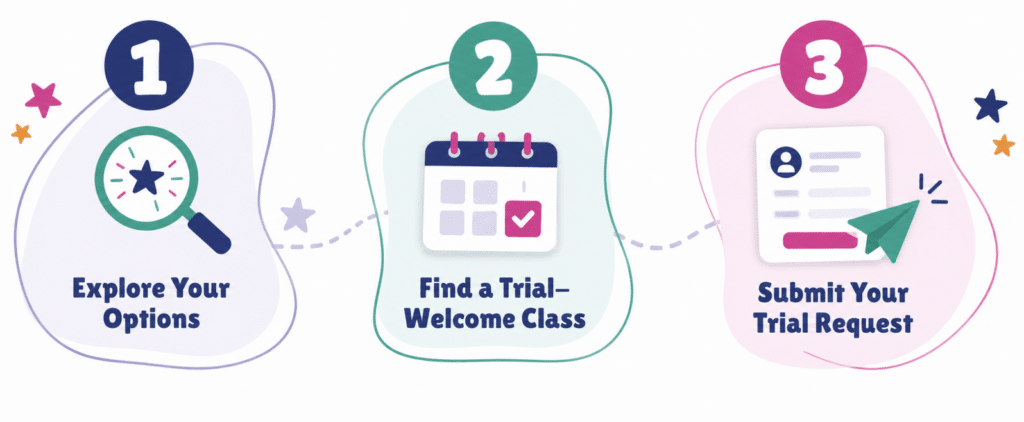
If you would like to begin with our 4-Class Trial, follow the three steps below.
EXPLORE YOUR OPTIONS
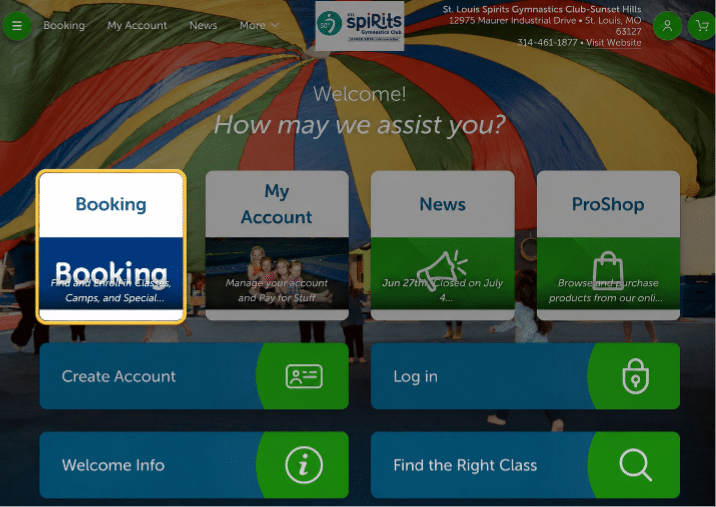
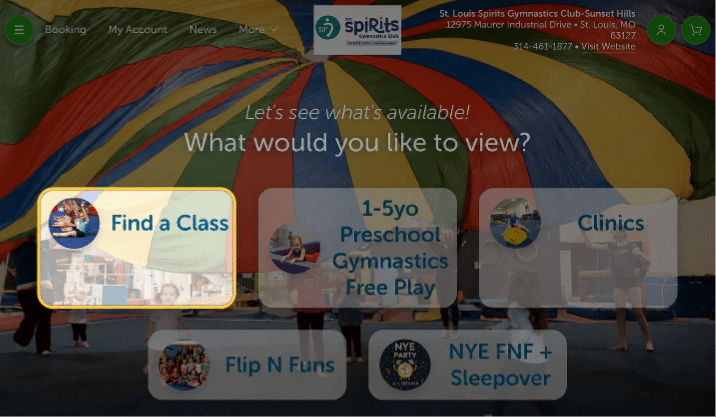
Select Booking, then Find a Class.
FIND A TRIAL-WELCOME CLASS
Use the filters and look for trial wording.
SUBMIT YOUR TRIAL REQUEST
Create or log into your account and follow the prompts.
Explore Your Options
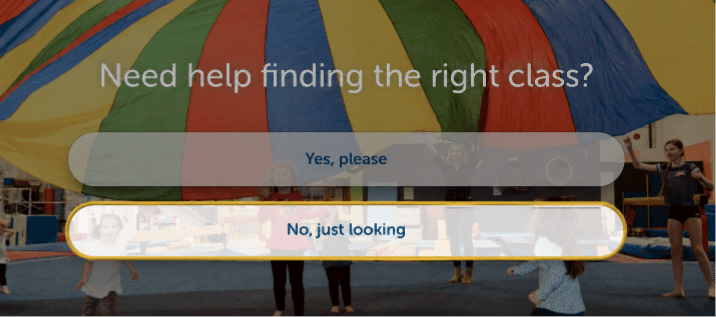
Select Booking to see the classes, camps, and special events currently available at Spirits. Then choose Find a Class. When asked if you need help, select No, just looking.
Good to know: You do not need to create an account just to look.
SELECT BOOKING
CHOOSE FIND A CLASS
SELECT NO, JUST LOOKING
Find a Trial-Welcome Class
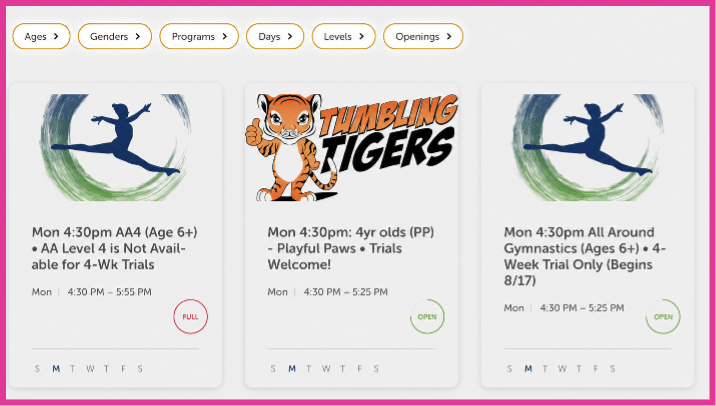
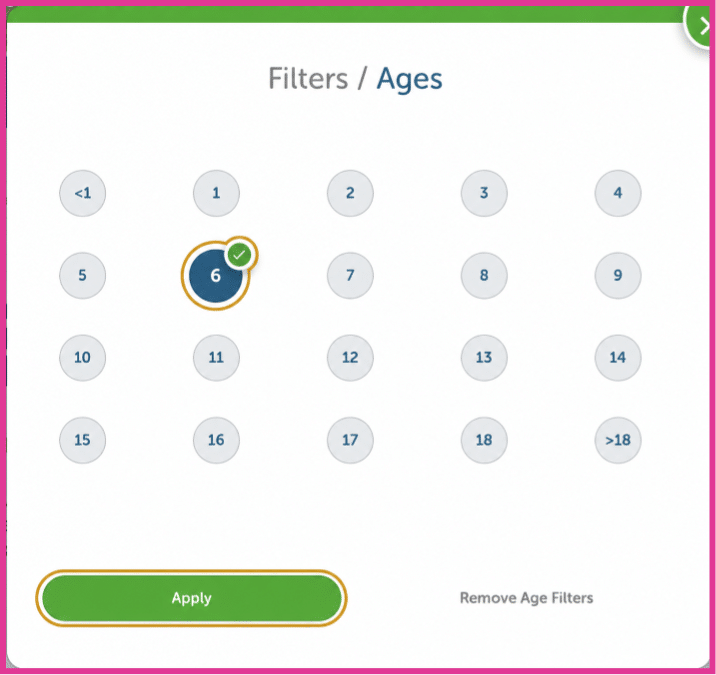
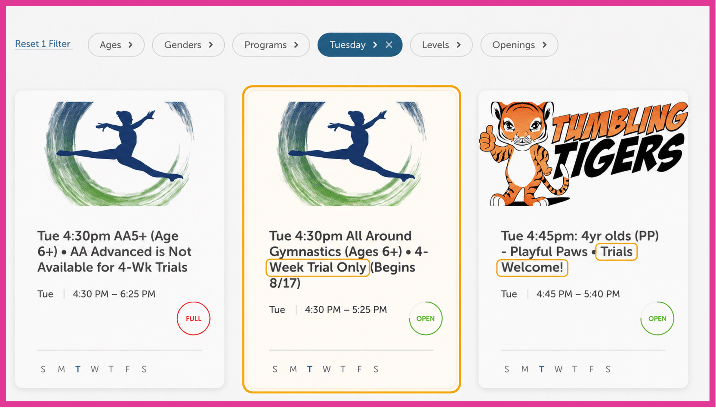
Filter by your child’s age first. You may also filter by day. Review the class options and look for “4-Week Trial Only” or “Trials Welcome!” Then select the entire class card that works best for your family.
Important: Only classes with trial wording are currently accepting requests for the 4-Class Trial.
USE THE FILTERS ACROSS THE TOP
CHOOSE YOUR CHILD’S AGE, THEN SELECT APPLY
LOOK FOR THE TRIAL WORDING AND SELECT THE ENTIRE CLASS CARD
Submit Your Trial Request
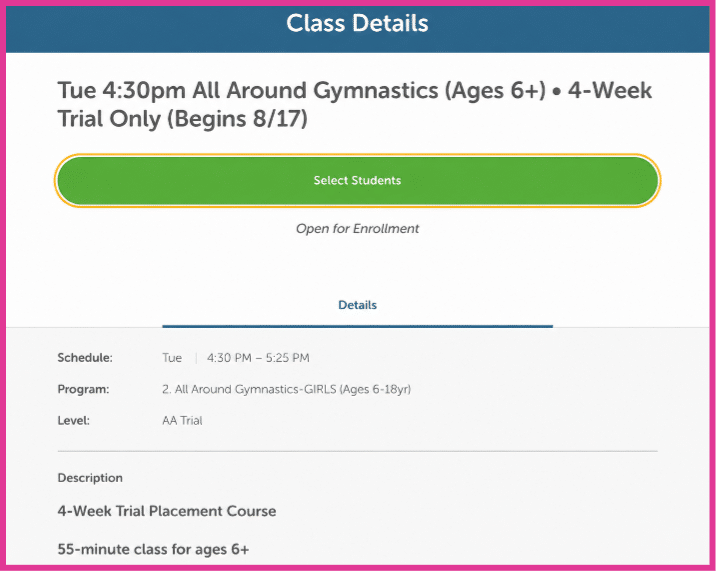
Once you select a class, choose Select Students. Existing families may log in. New families will create an account, add their child, request the trial, and complete the cart.
Your Card Will Not Be Charged Immediately: Submitting a request does not finalize enrollment or charge your card. A Spirits team member will confirm the class, trial terms, and starting date before processing payment.
CHOOSE SELECT STUDENTS
LOG IN—OR CHOOSE NO, CREATE ACCOUNT IF YOU ARE NEW
Additional Resources
View our step-by-step instructions for account creation, adding your child, requesting the trial, and setting up payment.
Create Your Family Account
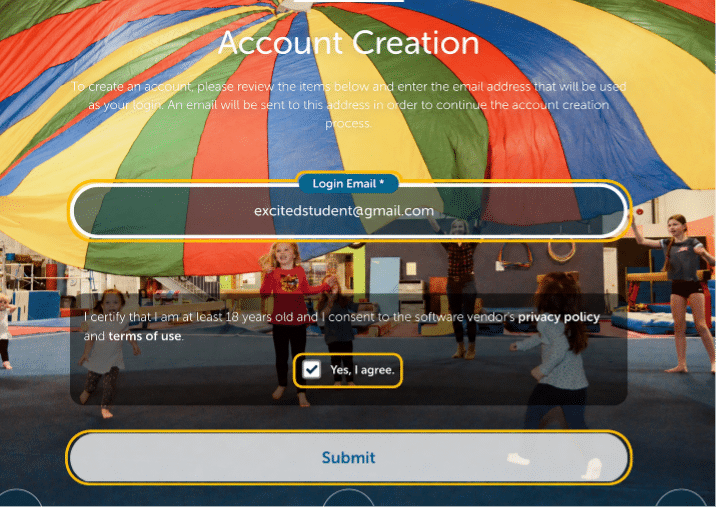
These screens walk new families through account creation. Existing families can skip this section and log in.
Enter your email, agree, and submit
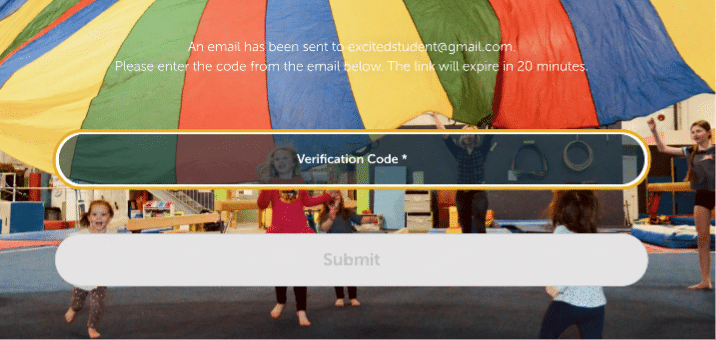
Enter the verification code sent to your email
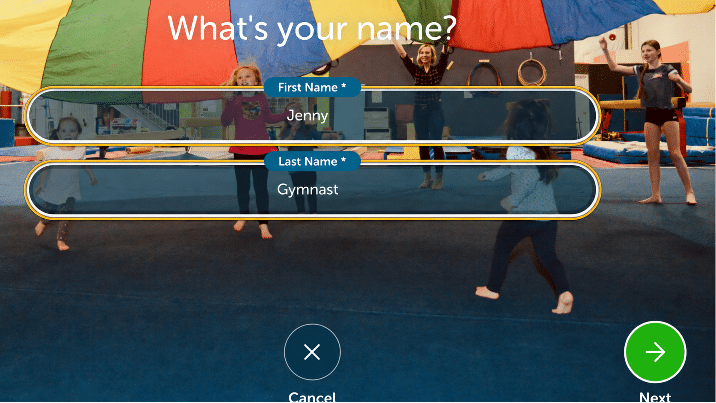
Enter the parent or guardian’s first and last name
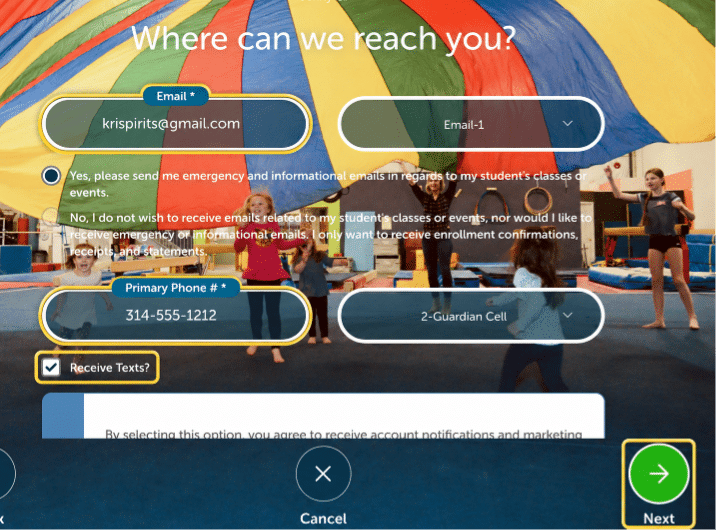
Add email, phone, text preference, and select Next
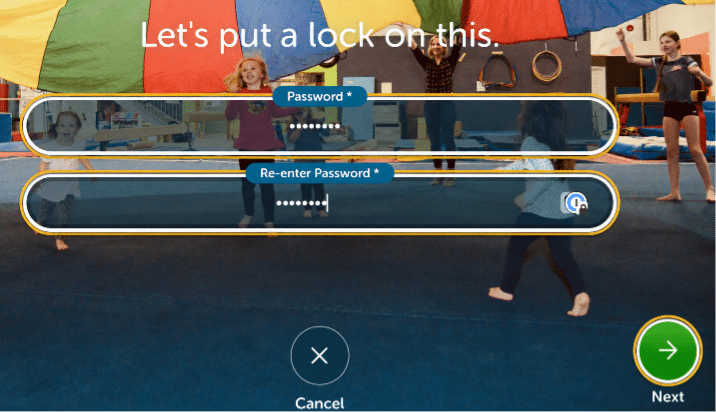
Create and confirm your password, then select Next
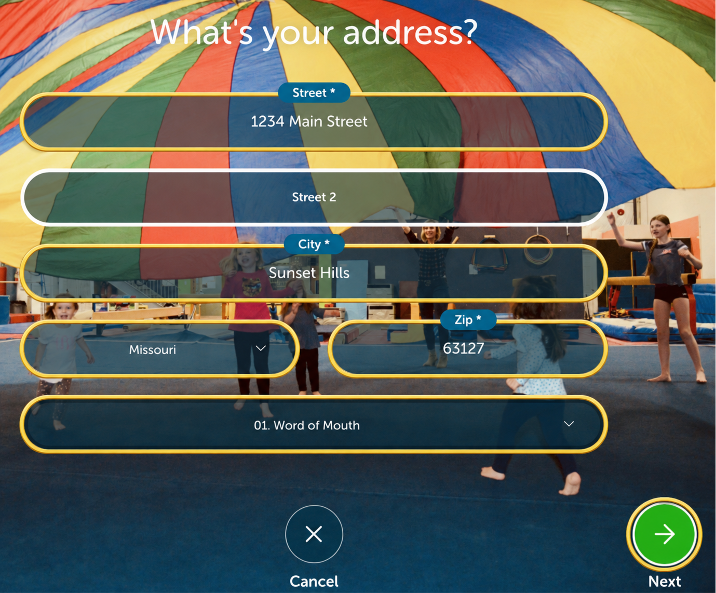
Complete all required address fields, then select Next
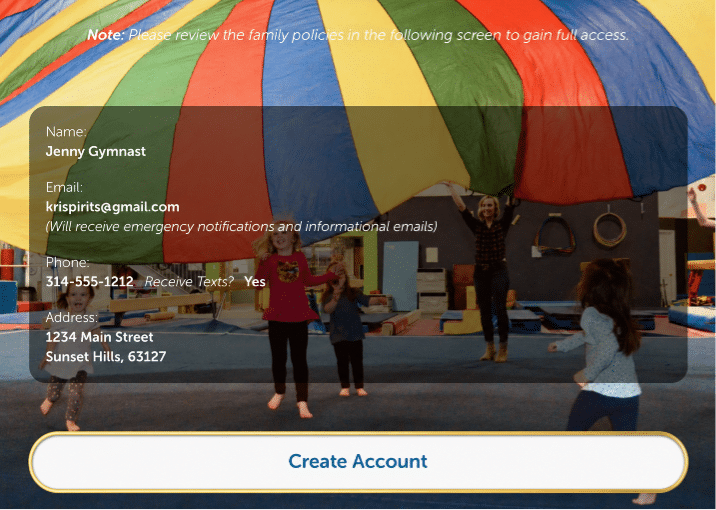
Review and select Create Account
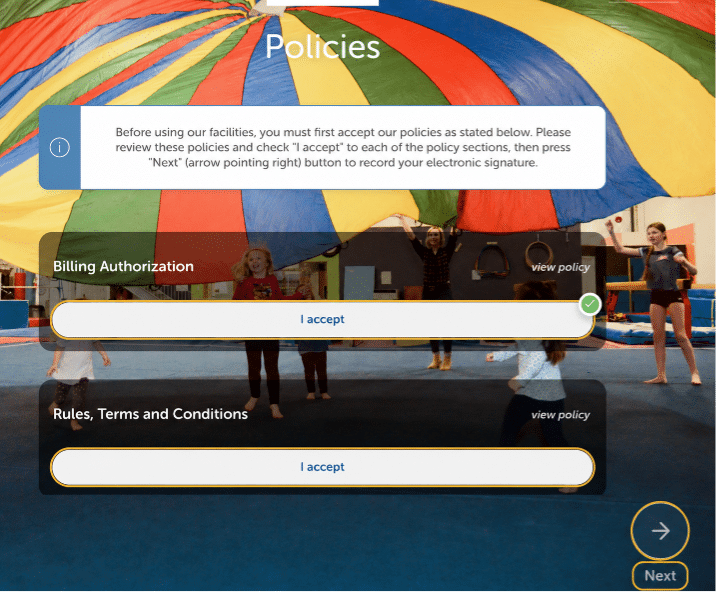
Read and accept all policies, then select Next
Add Your Child and Request the Trial
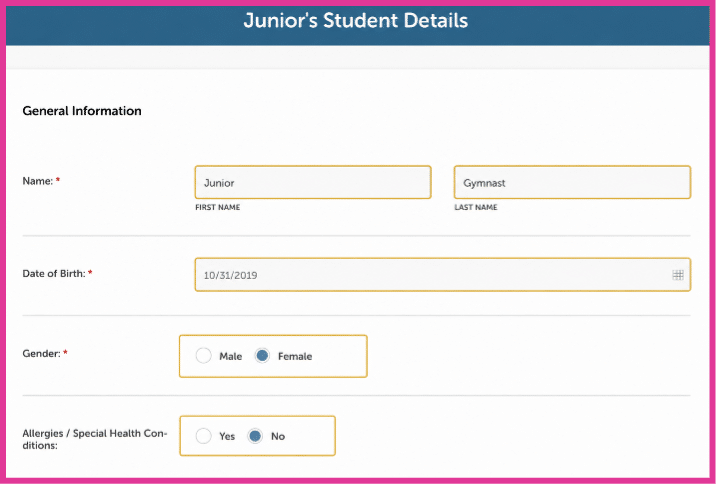
Add your child’s information, choose the student for the selected class, and request the 4-Class Trial.
Complete the required student details
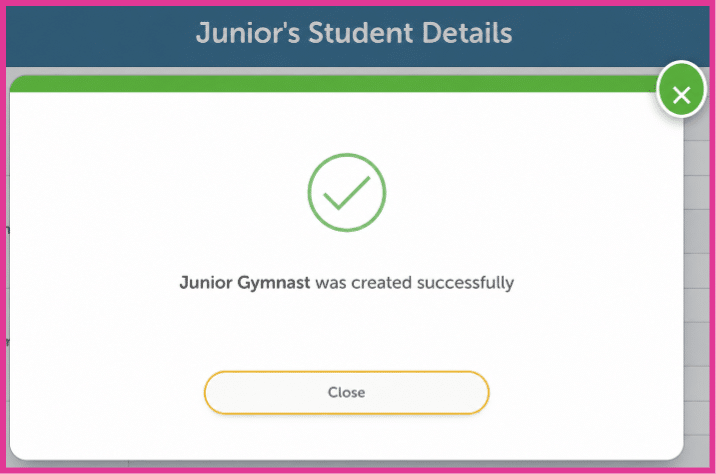
When the student is created, select Close
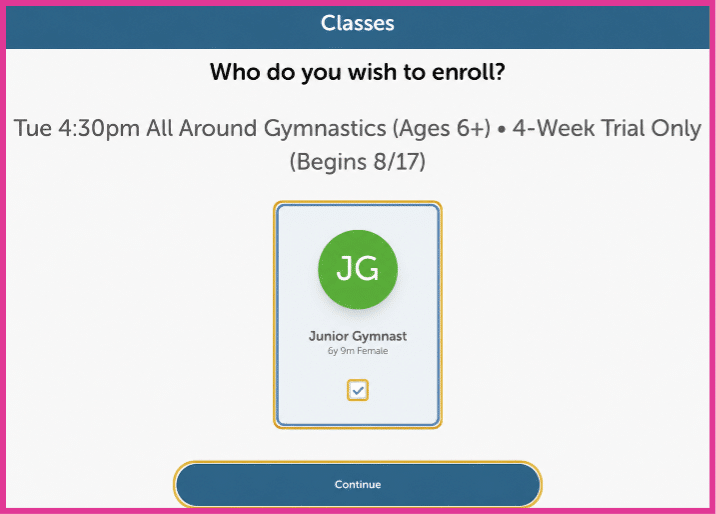
Select the student card, then Continue
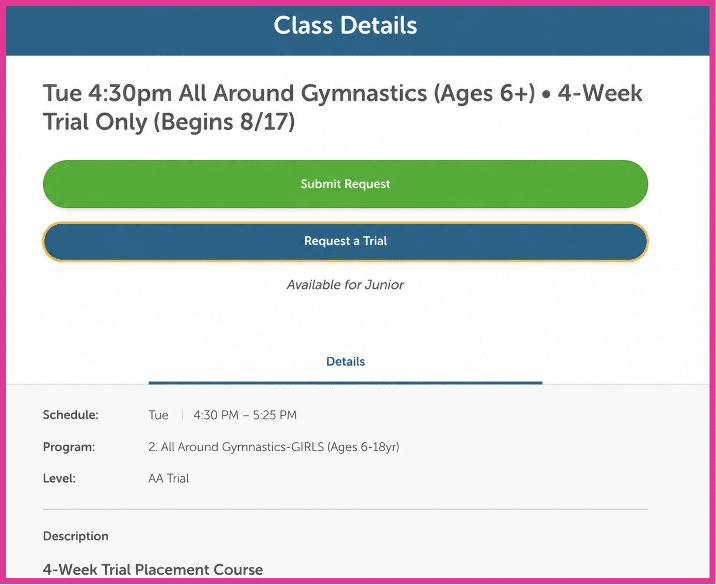
Choose Request a Trial
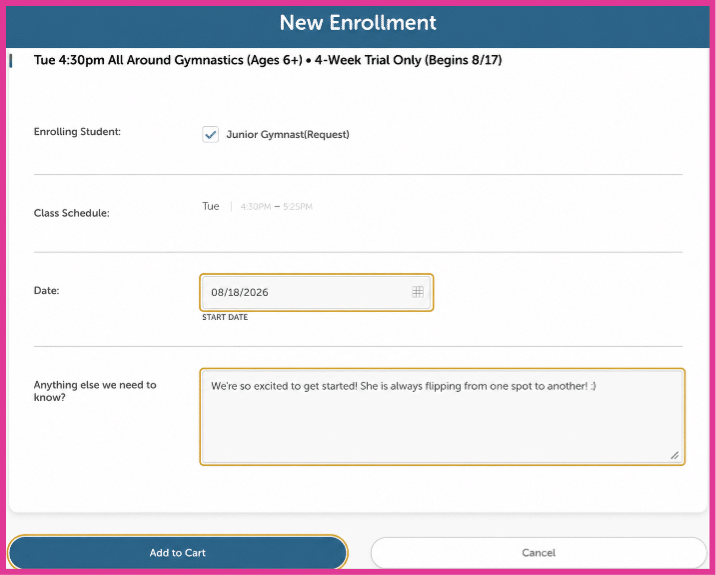
Choose the start date, add an optional note, and select Add to Cart
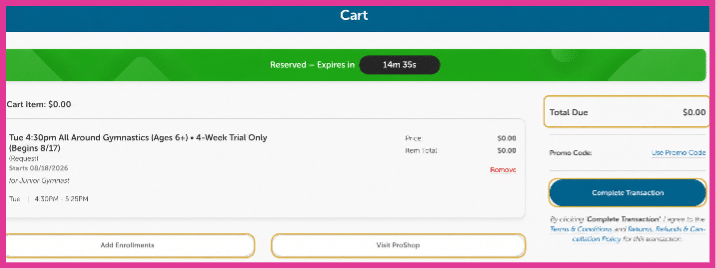
Complete the transaction
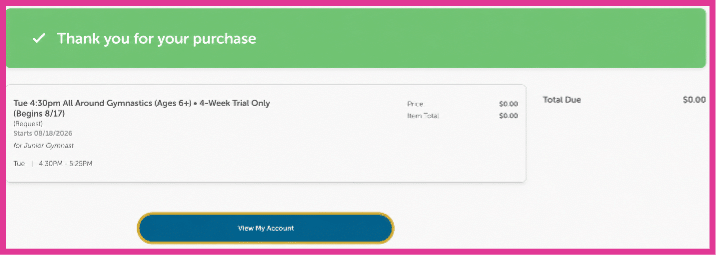
Why does the cart show $0.00?
iClassPro records this as a request, so the trial price may not appear in the cart. This does not mean the trial is free. After Spirits confirms the class and terms with you, we will process the correct 4-Class Trial payment.
After submission, select View My Account
Add Your Payment Method
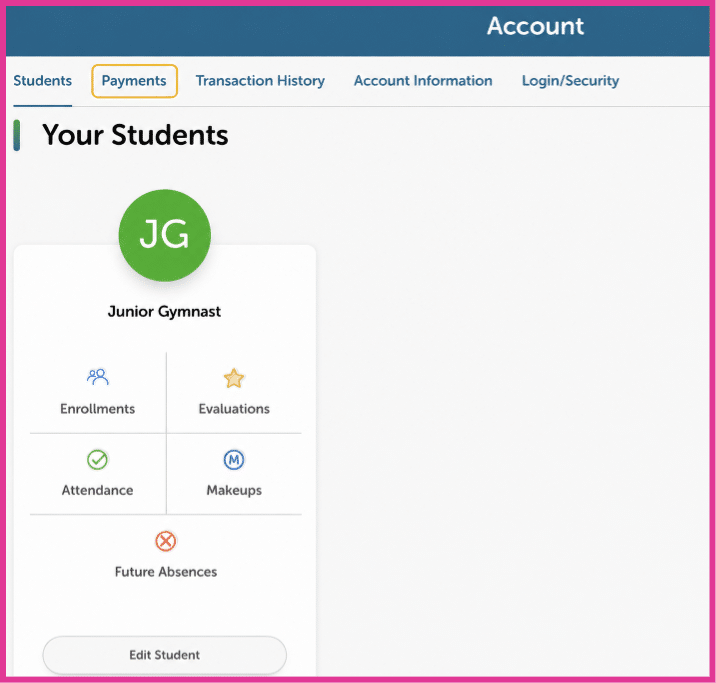
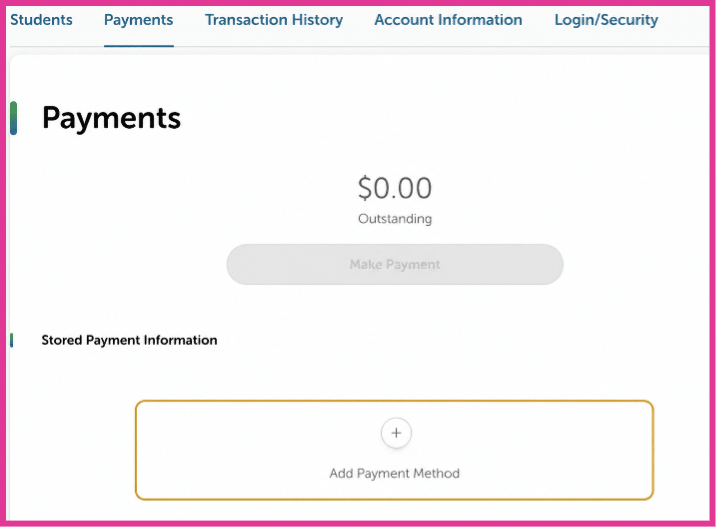
From your account, open Payments and add a card or bank account so Spirits can process payment after confirming your request.
Open Payments
Select Add Payment Method
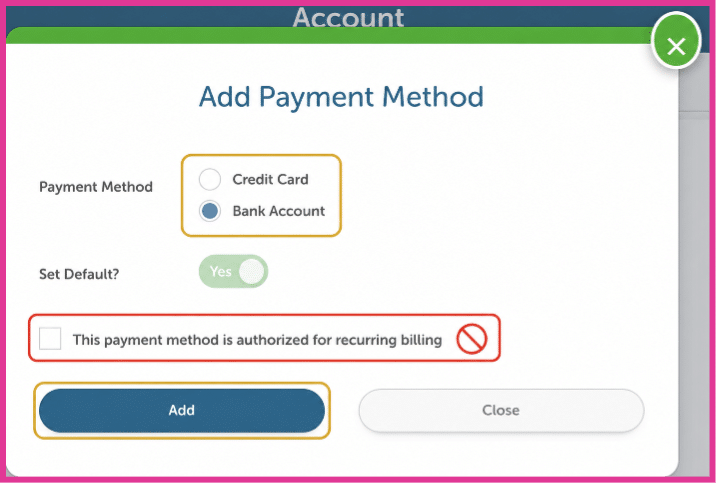
Choose a payment method and select Add
Do Not Select Recurring Billing
For the trial request, leave “This payment method is authorized for recurring billing” unchecked.
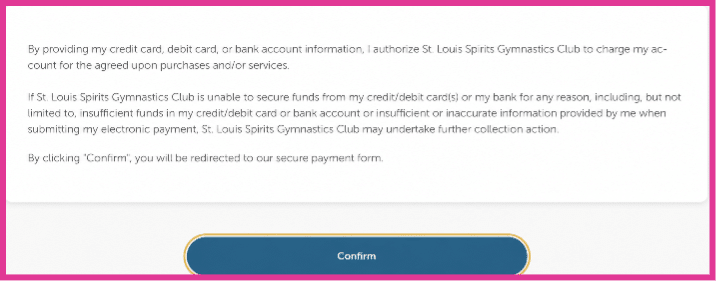
Review and select Confirm
What Happens Next?
A Spirits team member will contact you to:
- Confirm that the class is an appropriate choice
- Review the 4-Class Trial terms
- Answer any questions you may have
- Confirm your child’s starting date
Once everything is confirmed, we will process payment and get ready to welcome your child to their first class at Spirits!
Prefer Our Help?
Not sure which class or program is right for your child? You don’t have to figure it out alone. Need a spot? We’re happy to spot you. Text or call (Text preferred).
Let Us Help
Quick Questions
Can I look without creating an account?
Yes. Select Booking to explore current classes, camps, and events.
How do I know which classes accept trials?
Look for “4-Week Trial Only” or “Trials Welcome!” in the class listing.
Will my card be charged when I submit?
No. Spirits will contact you before processing payment.
What if I do not know which class to choose?
Select Let Us Help, and a member of our team will help you find the best place to begin.